
Reply-To and From name
Set where customer replies go and which sender name they see, per Shopify Flow step.
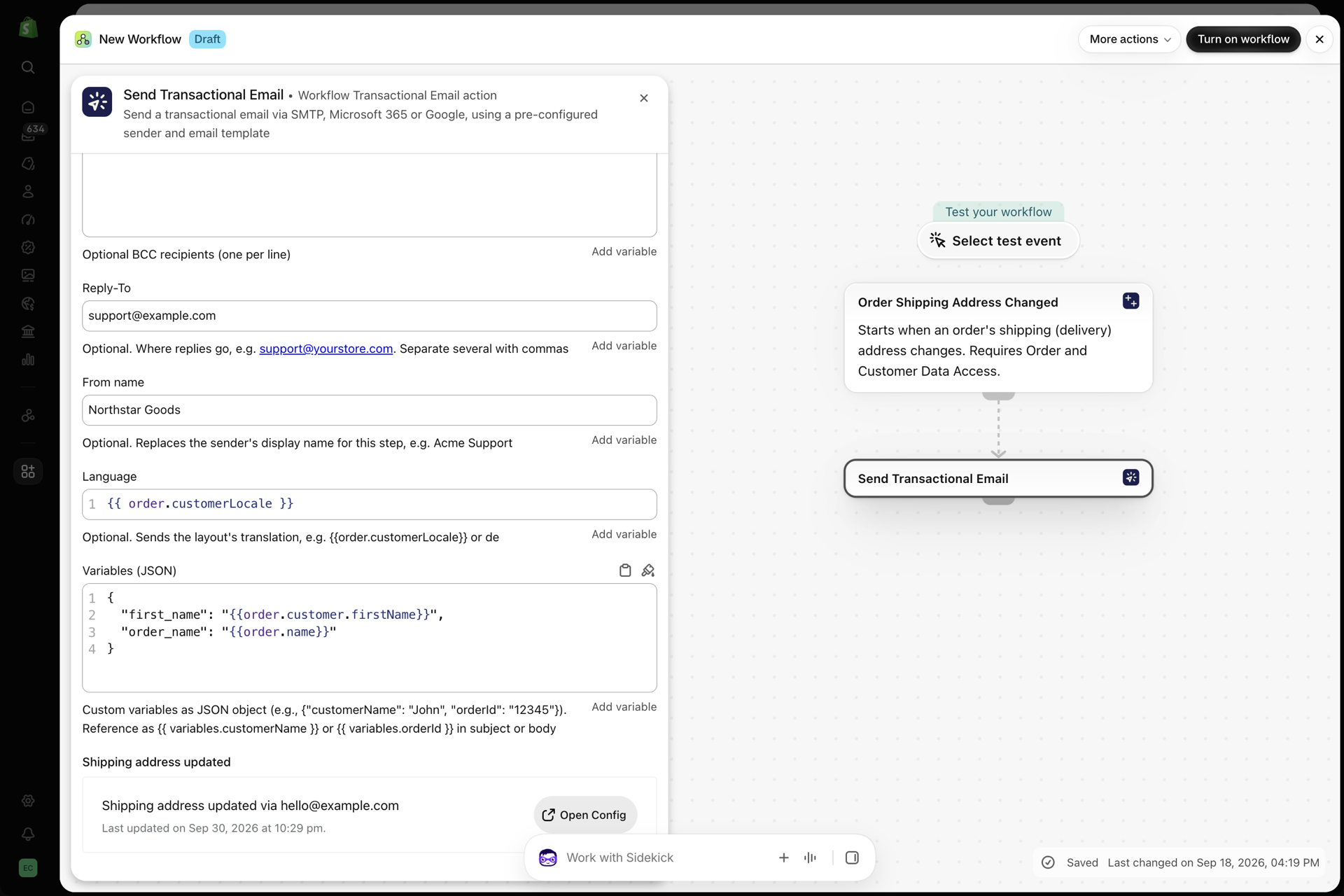
Each Send Transactional Email step in Shopify Flow can set two optional fields:
| Field | What it does | Example |
|---|---|---|
| Reply-To | Where replies go instead of the sending mailbox. Up to 5 addresses, separated by commas | support@yourstore.com |
| From name | The sender name recipients see, for this step only | Acme Support |
Both accept Flow variables, for example a Reply-To of {{order.customer.email}} for an email sent to your team.
They work with SMTP servers, Microsoft 365 and Google. The From address itself always stays the address of the sender you picked, so the email passes SPF and DKIM checks.
If a Reply-To value is not a valid address when the step runs, the email is not sent and History shows why. History also records the Reply-To and From name each email used, and a resend from History uses them again.
Shop-wide defaults
If most of your steps should use the same Reply-To or From name, set them once under Settings > Email defaults instead of in every step. The Default Reply-To (up to 5 addresses) and the Default From name are used whenever a step sets none. A value typed into the step always wins:
| The step sets | The email uses |
|---|---|
| A Reply-To | The step's Reply-To |
| No Reply-To | The Default Reply-To from Settings, if one is set |
| A From name | The step's From name |
| No From name | The Default From name from Settings, if one is set; otherwise the sender's own name |
The defaults apply to every email the app sends for you: Flow steps, test emails and resends from History. History records the Reply-To and From name that were actually used, whichever source they came from.
The same tab also has a Default CC and a Default BCC. Those are different: they are added to every email in addition to what the step sets, never instead of it. See Settings.