
Order line items table
Show the products of an order as a table in your transactional email, with images, quantities, prices and totals.
The Line items table block lists the products of an order: image, title, variant, quantity and price per row, plus totals such as subtotal, shipping and total.
Add the block
In the visual builder, open Blocks and add Line items table. The app fills Test Variables with sample items so you see the table right away.
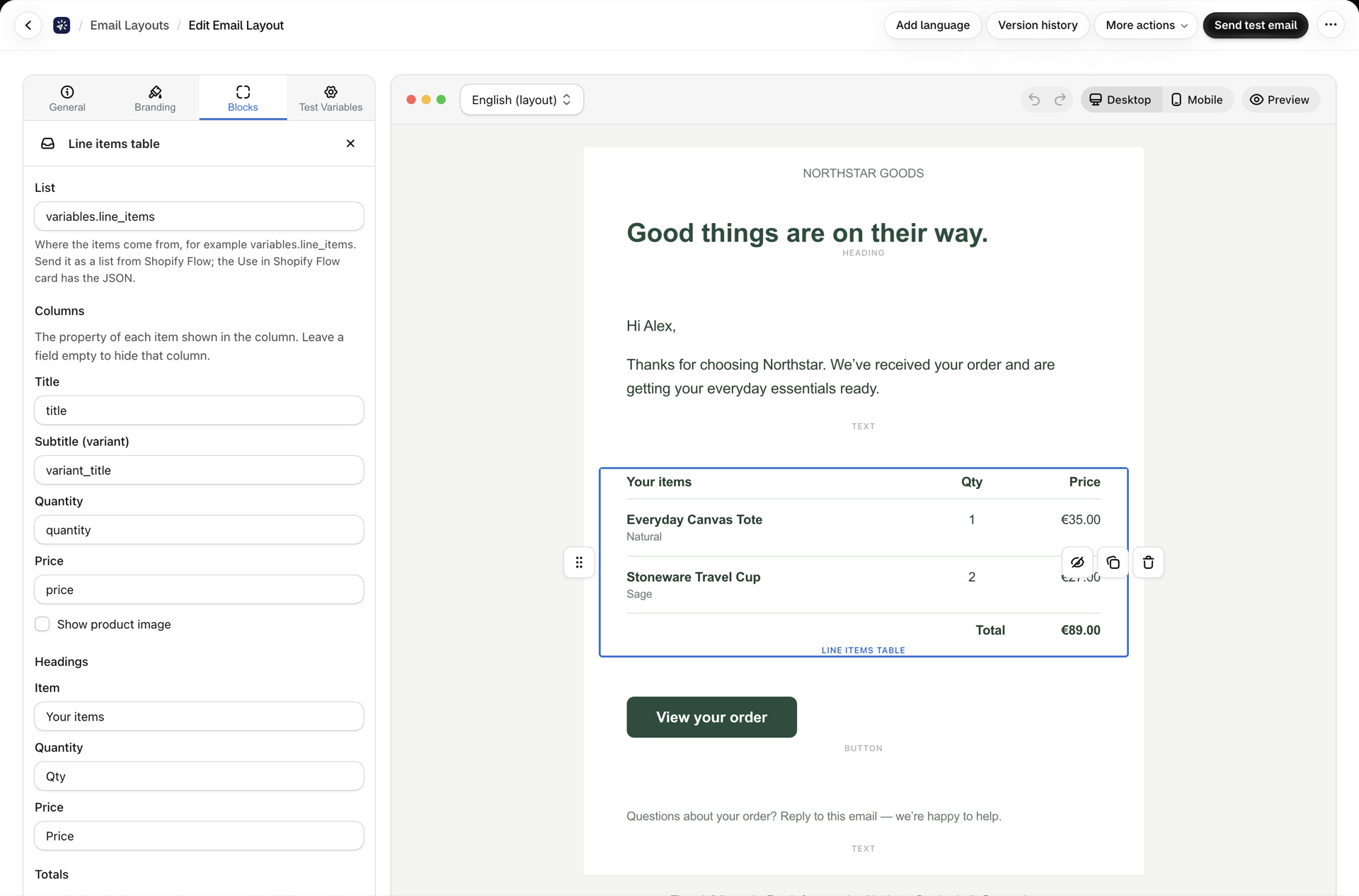
Send the items from Shopify Flow
The table repeats over a list in your Flow variables, variables.line_items by default. Open the layout's Use in Shopify Flow card and copy the JSON: it already contains the Flow loop that builds the list from the order, for example:
"line_items": [{% for li in order.lineItems %}{"title": {{ li.title | json }}, "variant": {{ li.variantTitle | json }}, "quantity": {{ li.quantity }}, "price": {{ li.originalUnitPriceSet.shopMoney.amount | json }}, "image": {{ li.image.url | json }}}{% unless forloop.last %},{% endunless %}{% endfor %}]Paste it into the Variables (JSON) field of the Send Transactional Email action.
Settings
| Setting | What it does |
|---|---|
| List | Where the items come from, variables.line_items unless you rename it |
| Show images | Adds the product image column |
| Field names | Which property of each item is the title, variant, quantity, price and image |
| Column headings | The labels above the columns, translatable per language |
| Totals | Rows under the table, each with a label and a value such as {{ variables.total }}. A row whose value is empty is left out |
Product titles and other values from the order are shown as plain text, so a title containing HTML or Liquid is printed exactly as it is and never changes your email.